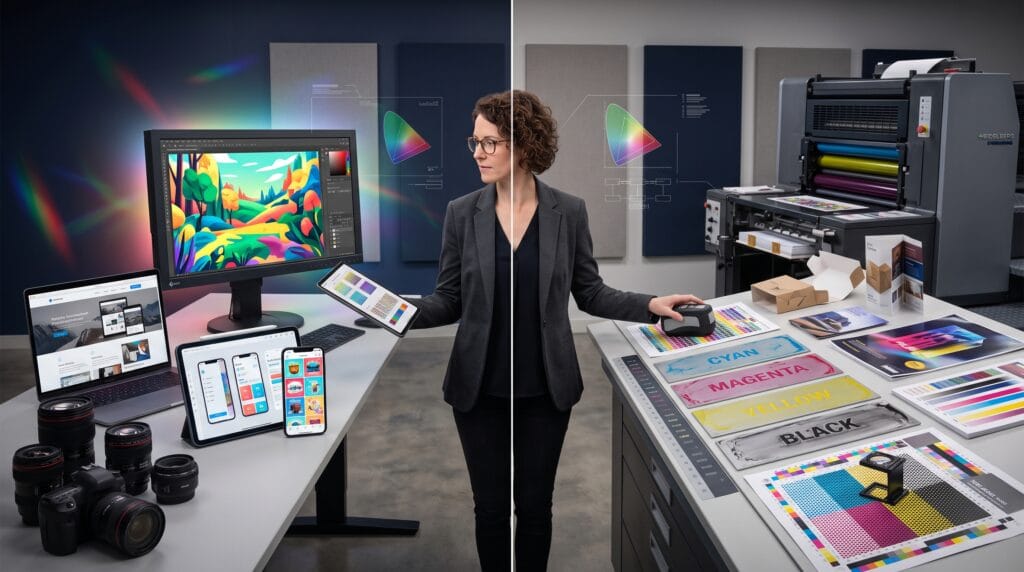
Color can look brilliant on a monitor and disappointing on paper if the file uses the wrong workflow. Understanding RGB vs CMYK is essential for designers, photographers, marketers, print buyers, and business owners because the correct color mode depends on where the final design will appear.
RGB is built for screens. It creates color with red, green, and blue light. CMYK is built for most commercial printing. It creates color with cyan, magenta, yellow, and black ink. These systems do not reproduce the same range of colors, which is why bright blues, greens, and neon effects may change when an RGB file is converted for print.
The practical decision is simple, use RGB for digital output and use CMYK for process printing when the printer requires it. The professional workflow, however, involves more detail. You also need to consider color profiles, printer specifications, image formats, proofing, spot colors, paper, ink, and the software used to create the design.
This guide explains RGB vs CMYK in clear terms, shows when to use each color mode, and provides practical steps for websites, social media, photography, branding, packaging, posters, brochures, and commercial print production.
What Is RGB?
RGB stands for:
- Red
- Green
- Blue
RGB is an additive color model. It creates colors by adding different amounts of red, green, and blue light.
When all three channels are at full intensity, the result is white. When all channels are at zero, the result is black.
Where RGB Is Used
RGB is used for content displayed on light-emitting devices, including:
- Computer monitors
- Smartphones
- Tablets
- Televisions
- Digital cameras
- Projectors
- Websites
- Mobile applications
- Social media graphics
- Digital advertisements
- Online presentations
- Video
Why RGB Colors Look Bright
Screens emit light directly toward the viewer. This allows RGB to reproduce vivid colors that printed ink may not match.
Bright electric blue, neon green, intense pink, and luminous gradients often appear stronger in RGB.
What Is CMYK?
CMYK stands for:
- Cyan
- Magenta
- Yellow
- Key, meaning black
CMYK is a subtractive color model. Printed inks absorb, or subtract, parts of white light reflected from paper.
The remaining light reaches the viewer’s eyes and creates the perceived color.
Where CMYK Is Used
CMYK is commonly used for commercial process printing, including:
- Business cards
- Brochures
- Flyers
- Posters
- Magazines
- Books
- Product packaging
- Labels
- Catalogs
- Direct mail
- Stationery
- Printed advertisements
Why Black Is Added
In theory, combining cyan, magenta, and yellow should create black. In practice, the result is often a muddy dark brown or gray.
Black ink improves:
- Contrast
- Fine text
- Shadow detail
- Neutral tones
- Ink efficiency
- Registration
RGB vs CMYK at a Glance
| Feature | RGB | CMYK |
|---|---|---|
| Full name | Red, Green, Blue | Cyan, Magenta, Yellow, Black |
| Color model | Additive | Subtractive |
| Primary medium | Screens | Printing |
| Starts from | Black | White paper |
| Creates color with | Light | Ink |
| Typical gamut | Wider for vivid screen colors | Narrower for process print |
| Best for | Web, social media, video, apps | Packaging, brochures, posters, books |
| Common formats | JPG, PNG, GIF, WebP | PDF, TIFF, EPS, AI |
| Typical profile | sRGB or Display P3 | Printer-specified CMYK profile |
The Main Difference Between RGB and CMYK
The most important difference is the way color is produced.
RGB Adds Light
A screen begins dark. Red, green, and blue light are added to create color.
CMYK Subtracts Light
Printing begins with a light surface, usually white paper. Ink absorbs parts of the reflected light.
This difference affects:
- Color range
- Brightness
- Contrast
- Saturation
- Conversion
- Final appearance
Color Gamut Explained
A color gamut is the range of colors a device, process, or profile can reproduce.
RGB spaces usually contain colors that standard CMYK printing cannot reproduce.
Common Out-of-Gamut Colors
Colors likely to shift during RGB-to-CMYK conversion include:
- Neon green
- Electric blue
- Bright cyan
- Intense violet
- Luminous orange
- Highly saturated pink
When a color falls outside the CMYK gamut, software maps it to the nearest reproducible alternative.
This may make the print version appear:
- Darker
- Duller
- Less saturated
- Less luminous
- Slightly different in hue
When Should You Use RGB?
Use RGB when the final design will be viewed on a screen.
Websites and User Interfaces
Website graphics should normally use RGB.
Recommended formats include:
- SVG for logos and icons
- WebP for optimized images
- PNG for transparency
- JPG for photographs
A blue call-to-action button, gradient hero image, and product photographs for an ecommerce website should be designed and exported in RGB.
Social Media Graphics
Social platforms display images on screens, so RGB is appropriate.
Examples include:
- Instagram posts
- Facebook advertisements
- LinkedIn graphics
- Pinterest pins
- YouTube thumbnails
- TikTok covers
Use a standard profile such as sRGB unless the platform or workflow specifies another option.
Digital Advertising
Banner advertisements, display campaigns, email graphics, and mobile advertisements should use RGB.
Video and Motion Graphics
Video content should be created in an RGB-based workflow appropriate to the editing and delivery system.
Digital Photography
Digital cameras capture and process image information through RGB channels.
Photographs intended for websites, online portfolios, or digital delivery should remain in an appropriate RGB space.
Presentations
Slides shown on monitors or projectors should generally use RGB.
When Should You Use CMYK?
Use CMYK when the final design will be produced through standard process printing and the printer requests CMYK artwork.
Business Cards and Stationery
Business cards, letterheads, envelopes, and presentation folders are usually prepared for CMYK printing.
Brochures and Flyers
Marketing materials printed in volume often use four-color process printing.
Packaging and Labels
Packaging artwork may use:
- CMYK process inks
- Spot colors
- White ink
- Metallic ink
- Varnish
- Foil
- Special coatings
Always ask the packaging supplier for the correct specifications.
Posters and Signage
Some posters use CMYK process printing, while large-format printers may accept RGB and perform conversion through their own color-management system.
Confirm the preferred workflow before converting.
Books and Magazines
Commercial publications are usually prepared according to the printer’s CMYK profile and total ink limits.
Also Read: 20+ Best Graphic Design Inspiration Websites For Students And Professionals
Should You Design in RGB and Convert Later?
Many designers create artwork in RGB first because it offers a wider editing range, then convert a copy for print.
This can work well when:
- The original file remains editable.
- The final printer profile is known.
- Out-of-gamut colors are checked.
- Proofing is completed.
- The converted copy is reviewed.
Benefits of Working in RGB First
- Wider color range
- Better compatibility with photographs
- Easier reuse for digital media
- More flexibility during editing
- Preservation of vivid source data
Risks
A late conversion may cause unexpected color shifts when:
- The palette uses highly saturated colors.
- No soft proof is performed.
- The wrong CMYK profile is selected.
- Rich black is used incorrectly.
- Transparency or blending changes.
Should You Design Directly in CMYK?
Designing directly in CMYK can help when the project is print-only and the printer profile is known.
This approach may be useful for:
- Packaging
- Catalogs
- Books
- Print advertising
- Corporate stationery
Advantages
- Earlier awareness of print limitations
- More predictable process colors
- Easier control of black values
- Reduced dependence on late conversion
Limitation
A CMYK master may not produce the best digital version. Keep separate output files when the design must work both online and in print.
What Is a Color Profile?
A color profile describes how a device or color space represents color.
The same numerical values can look different under different profiles.
Common RGB Profiles
- sRGB
- Adobe RGB
- Display P3
- ProPhoto RGB
Common CMYK Profiles
CMYK profiles depend on:
- Printing standard
- Region
- Paper type
- Ink
- Press
- Total ink coverage
Examples include profiles designed for coated or uncoated paper.
Best Practice
Do not choose a CMYK profile at random. Ask the printer which profile or PDF standard they require.
sRGB vs Adobe RGB vs Display P3
These are RGB color spaces, but they do not have identical gamuts.
sRGB
sRGB is widely supported by browsers, consumer devices, social platforms, and general digital workflows.
Use it when predictable compatibility is the main priority.
Adobe RGB
Adobe RGB contains a wider range of some colors, especially greens and cyans.
It is often used in photography and print-oriented image editing, but proper color management is required.
Display P3
Display P3 supports a wider gamut than sRGB and is common on many modern devices.
It can produce vivid digital color, but platform support and conversion should be considered.
What Happens When You Convert RGB to CMYK?
Conversion recalculates the RGB colors so they can be reproduced through the selected CMYK profile.
Possible Changes
- Bright colors lose saturation.
- Shadows become heavier.
- Blues may shift toward purple.
- Greens may become less vivid.
- Gradients may appear flatter.
- Fine details may lose contrast.
Conversion Is Profile-Dependent
The result depends on the destination profile.
A file converted for coated paper may not be appropriate for uncoated stock.
How to Convert RGB to CMYK Correctly
Use this workflow:
- Save the original RGB file.
- Duplicate the document.
- Ask the printer for the required profile.
- Convert the duplicate using color-management controls.
- Review out-of-gamut colors.
- Check black text and rich-black areas.
- Inspect transparencies and effects.
- Soft proof the document.
- Export a print-ready PDF.
- Review a printer proof.
Do not overwrite the original RGB master.
Assign Profile vs Convert to Profile
These commands are not the same.
Assign Profile
Assigning changes how existing color numbers are interpreted.
It may cause a visible shift because the numerical values stay the same while the meaning changes.
Convert to Profile
Converting changes the color numbers to preserve appearance as closely as possible in the destination profile.
For normal production conversion, Convert to Profile is usually the correct operation.
What Is Soft Proofing?
Soft proofing simulates how a document may appear under a selected output profile.
It can help identify:
- Out-of-gamut colors
- Reduced saturation
- Shadow loss
- Paper influence
- Black-point changes
A monitor proof is not a complete replacement for a physical proof because screen brightness, calibration, paper, ink, and viewing conditions still affect perception.
Monitor Calibration and Color Accuracy
A color-managed workflow depends on a reasonably calibrated monitor.
Calibration Helps Control
- Brightness
- White point
- Gamma
- Color balance
A monitor that is too bright can lead designers to create files that print too dark.
Practical Tips
- Reduce excessive monitor brightness.
- Use neutral workspace lighting.
- Avoid judging color in direct sunlight.
- Calibrate regularly for critical work.
- Review printed proofs under consistent light.
RGB vs CMYK for Logos
A professional logo system should include both digital and print color versions.
RGB Logo Files
Use for:
- Websites
- Email signatures
- Social profiles
- Applications
- Presentations
- Video
CMYK Logo Files
Use for:
- Brochures
- Business cards
- Packaging
- Posters
- Printed advertising
Spot-Color Logo Files
Use when exact brand-color consistency is required and the printer supports spot inks.
RGB vs CMYK for Photography
Photography normally begins in RGB.
Digital Photography Workflow
Keep the master image in an appropriate RGB space.
Export an sRGB copy for:
- Websites
- Social media
- Online galleries
Print Photography Workflow
Ask the print provider whether they prefer:
- RGB files
- Converted CMYK files
- A particular profile
- A specific file format
Many professional photo labs prefer RGB because their printers use custom profiles and more than four inks.
RGB vs CMYK for Packaging
Packaging often requires the most careful workflow.
Consider:
- CMYK process printing
- Spot colors
- White ink
- Transparent materials
- Metallic substrates
- Varnish
- Foil
- Embossing
- Total ink coverage
- Barcode contrast
Packaging Example
A neon green beverage label may look excellent on screen but appear dull in CMYK. The solution may involve a spot ink rather than trying to force standard process inks to reproduce the RGB color.
RGB vs CMYK for Large-Format Printing
Large-format printers may use:
- CMYK
- Light cyan and light magenta
- Orange
- Green
- Violet
- White ink
- Additional specialty inks
Some providers prefer RGB files because their RIP software converts colors for the specific device.
Always follow the supplier’s instructions rather than assuming every print workflow requires manual CMYK conversion.
Understanding Black in CMYK
Black requires careful handling.
Pure Black
Pure black is often:
- C: 0
- M: 0
- Y: 0
- K: 100
It is commonly used for small text and fine lines because it reduces registration problems.
Rich Black
Rich black combines black with additional CMY ink to create a deeper appearance in large areas.
The correct formula depends on the printer and paper.
Do not use a random rich-black formula.
Registration Black
Registration black prints on every plate and is intended for production marks.
It should not be used for normal artwork or text.
Total Ink Coverage
Total ink coverage is the combined percentage of cyan, magenta, yellow, and black.
Excessive ink can cause:
- Slow drying
- Smudging
- Paper distortion
- Loss of detail
- Production problems
The permitted limit depends on the paper and press.
Spot Colors vs CMYK
A spot color is printed with a premixed ink rather than simulated through CMYK dots.
Spot Colors Are Useful For
- Precise brand colors
- Metallic inks
- Fluorescent inks
- Limited-color jobs
- Strong solid colors
CMYK Is Useful For
- Full-color photography
- Multicolor illustrations
- General process printing
- Cost-efficient large runs
A project may combine CMYK with one or more spot inks.
File Formats for RGB
JPG
Best for photographs and compressed digital images.
PNG
Best for transparency, interface graphics, and images that require crisp edges.
SVG
Best for scalable logos, icons, and vector web graphics.
WebP
Best for efficient modern web imagery.
GIF
Best for simple animation and limited-color graphics.
File Formats for CMYK
The most common format for print-ready artwork.
TIFF
Useful for high-quality raster images and print production.
EPS
Still used for some vector and legacy workflows.
AI or INDD Package
Editable source files may be requested by production partners.
Not every application or file format preserves CMYK in the same way. Confirm the export and profile settings.
RGB vs CMYK in Popular Design Software
Adobe Photoshop
Photoshop supports both RGB and CMYK document modes, profile conversion, gamut warnings, and soft proofing.
Adobe Illustrator
Illustrator can create RGB or CMYK documents and manage process colors, spot colors, overprint, and print-ready PDFs.
Adobe InDesign
InDesign is commonly used for print layouts. It can place RGB and CMYK images and convert them during PDF export according to the selected output settings.
Canva and Browser-Based Tools
Many online design tools use RGB-centered workflows.
Some offer print export options, but designers should confirm whether the file meets professional printer requirements.
Figma
Figma is primarily designed for RGB screen interfaces.
It is suitable for websites and applications, but it is not the ideal primary tool for complex CMYK print production.
Common RGB vs CMYK Mistakes
1. Sending Neon RGB Artwork Directly to Print
The print may look dull because the colors are outside the CMYK gamut.
2. Converting Without the Printer Profile
The wrong profile can create unnecessary color shifts.
3. Overwriting the RGB Master
Keep the wide-gamut editable original.
4. Using Rich Black for Small Text
Multiple plates may misregister and make text appear blurry.
5. Using Pure Black for Large Backgrounds
Large areas may look weak or uneven.
6. Ignoring Paper Color
Uncoated, recycled, cream, and colored stocks change perceived color.
7. Trusting the Screen Completely
A bright monitor cannot perfectly predict ink on paper.
8. Forgetting Embedded Profiles
Unprofiled files may be interpreted inconsistently.
9. Using CMYK for Social Media
CMYK images may display incorrectly or be converted unpredictably by digital platforms.
RGB vs CMYK Decision Table
| Project | Recommended Starting Mode | Final Output |
|---|---|---|
| Website | RGB | sRGB image or SVG |
| Mobile application | RGB | Platform-ready RGB assets |
| Social media post | RGB | JPG or PNG |
| Digital advertisement | RGB | Platform specification |
| Video thumbnail | RGB | JPG or PNG |
| Business card | CMYK or managed RGB workflow | Print-ready PDF |
| Brochure | CMYK or managed layout workflow | Printer-specified PDF |
| Product packaging | Printer-specified | CMYK, spot colors, or both |
| Magazine | Print workflow | CMYK PDF |
| Photo lab print | Ask the lab | Often profiled RGB |
| Large-format banner | Ask the provider | RGB or CMYK by specification |
| Brand logo system | Both | RGB, CMYK, and spot versions |
Practical RGB vs CMYK Workflow
For a Digital-Only Project
- Create the document in RGB.
- Use an appropriate profile, usually sRGB for broad compatibility.
- Check contrast and accessibility.
- Export in the required digital format.
- Test on several screens.
For a Print-Only Project
- Request printer specifications.
- Choose the correct document setup.
- Use approved CMYK and spot colors.
- Check image resolution.
- Review total ink coverage.
- Preflight the file.
- Export the required PDF standard.
- Approve a proof.
For a Project Used Online and in Print
- Create a flexible master.
- Define RGB and CMYK color values.
- Maintain separate output files.
- Adjust out-of-gamut colors intentionally.
- Test each version in its real environment.
Also Read: Graphic Design Color Palettes for Better Visual Results
RGB vs CMYK Checklist
Use this checklist before exporting:
- The final medium is confirmed.
- The printer or platform specifications are available.
- The correct color mode is selected.
- The color profile is embedded.
- The RGB master is preserved.
- Out-of-gamut colors have been reviewed.
- Black text uses the correct values.
- Rich black follows printer guidance.
- Total ink coverage is acceptable.
- Images have sufficient resolution.
- Transparencies and effects are checked.
- Spot colors are named correctly.
- The print PDF passes preflight.
- A proof has been reviewed when necessary.
Frequently Asked Questions
1. Is RGB Better Than CMYK?
Neither mode is universally better. RGB is better for screens, while CMYK is designed for most process printing.
2. Can You Print an RGB File?
Yes, many printers can convert RGB files. The result depends on the printer, profile, inks, and workflow. Ask the provider whether they prefer RGB or CMYK.
3. Why Does CMYK Look Dull?
CMYK process printing cannot reproduce every vivid RGB color because its gamut is smaller and ink reflects light instead of emitting it.
4. Should Logos Be RGB or CMYK?
A professional logo package should include RGB versions for digital use and CMYK versions for print. Spot-color versions may also be needed.
5. Is PNG RGB or CMYK?
PNG is primarily intended for RGB digital use and does not support standard CMYK workflows in the same way as print formats such as PDF or TIFF.
6. Is JPG RGB or CMYK?
JPG can contain RGB or CMYK data, but RGB is more reliable for web and digital distribution. CMYK JPG support varies across applications.
7. What Color Mode Should I Use in Photoshop?
Use RGB for digital work and image editing. Use CMYK when preparing a print-specific copy under the printer’s requirements.
8. Should I Convert Images to CMYK Before Placing Them in InDesign?
Not always. A color-managed InDesign workflow can place RGB images and convert them during PDF export. Follow the printer’s requirements.
Conclusion
The RGB vs CMYK decision depends on the final output.
Use RGB for websites, applications, social media, presentations, video, and other screen-based work. Use CMYK for standard process printing when the printer requires CMYK artwork.
The most professional approach is not simply changing a menu setting. It involves preserving an RGB master, using the correct profiles, checking out-of-gamut colors, handling black correctly, following supplier specifications, and reviewing a proof.
When a project must work both online and in print, create separate optimized outputs. A vivid digital version and a reliable print version may use different numerical values while still representing the same brand.
Choose the color mode based on the medium, manage the conversion carefully, and confirm the final result in the environment where the audience will see it.
Also Read: “Graphic Design Color Theory Explained with Practical Examples“