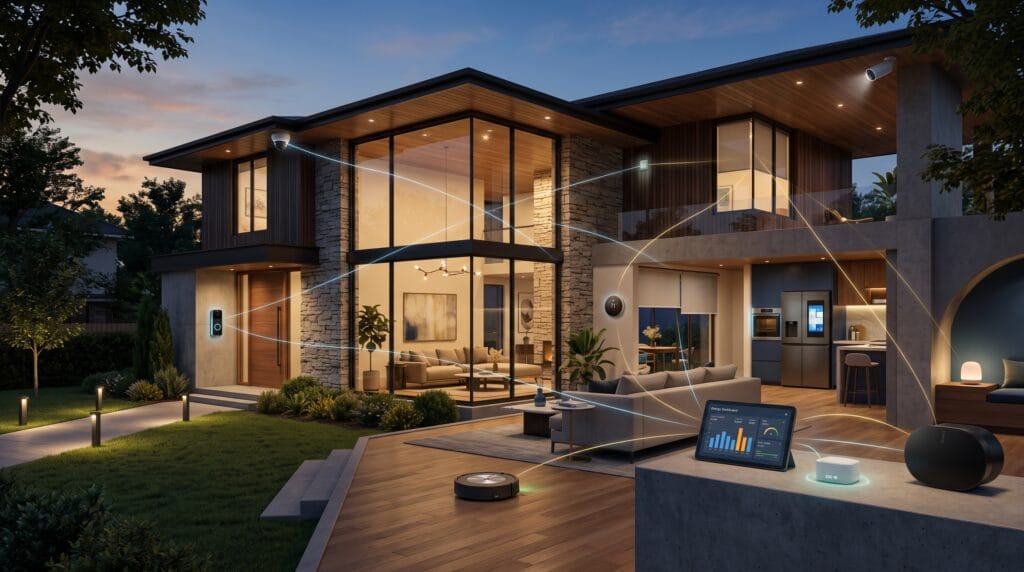
The best smart home technology ideas make everyday life easier without turning the home into a complicated technical project. A useful smart home should improve comfort, security, energy awareness, entertainment, wellness, or accessibility while keeping manual controls available.
Connected homes have also become easier to build across brands. Matter is designed to improve interoperability, while Thread can provide a low-power mesh network for compatible devices. Apple, Google, Amazon Alexa, and Home Assistant all support Matter in different ways, although device categories and features still vary by ecosystem and controller.
This guide explores practical smart home technology ideas for every room, explains how to plan automations, compares connectivity options, and provides security and budgeting checklists for a reliable upgrade.
Why Smart Home Technology Ideas Improve Daily Life
Smart devices create the most value when they remove small recurring tasks. Turning off every light, checking whether a door is locked, adjusting the thermostat, or monitoring a leak may take only a minute, but automation can handle these actions consistently.
- Greater convenience and comfort
- Improved awareness of security events
- Better energy visibility
- Faster response to leaks or smoke alerts
- More accessible controls
- Personalized lighting and entertainment
- Remote monitoring when away
- Reduced repetitive household work
Plan Your Smart Home Technology Ideas Before Buying Devices
1. Choose a Primary Ecosystem
Select the platform most people in the household will actually use. Apple Home, Google Home, Amazon Alexa, and Home Assistant each offer different strengths. Confirm that the controller, phones, speakers, and desired accessories are compatible.
2. Understand Matter and Thread
Matter is an IP-based smart-home standard intended to improve device interoperability across manufacturers. Thread is a low-power IPv6 mesh network used by some Matter accessories. A Thread device may require a compatible Thread border router.
3. Improve the Home Network
Reliable Wi-Fi and good device placement matter more than sophisticated automation. Update the router, separate guest access when appropriate, and avoid placing hubs inside cabinets or near heavy interference.
4. Start with One Room or Routine
A staged approach reduces cost and reveals which features the household genuinely values.
Also Read: Top 20 Mobile Technology Trends to Watch This Year
20 Smart Home Technology Ideas to Upgrade Your Lifestyle
1. Build a Smart Lighting System
Smart lighting is one of the easiest upgrades because it improves comfort, safety, ambiance, and energy control. Begin with the rooms used most often, then create scenes for morning, work, dinner, movies, reading, and bedtime.
- Use dimmable bulbs or smart switches
- Add motion sensors in hallways and closets
- Schedule outdoor lights around sunset
- Create a whole-home “good night” scene
- Use warm light in the evening and brighter task light during the day
2. Install a Smart Thermostat
A smart thermostat can create schedules, adjust temperatures remotely, and reduce unnecessary heating or cooling. Choose a model that supports the home’s HVAC equipment and preferred smart-home ecosystem.
- Build separate weekday and weekend schedules
- Use occupancy or presence sensing
- Create vacation settings
- Review energy reports
- Avoid extreme temperature changes that reduce comfort
3. Add Room-by-Room Climate Control
Smart radiator valves, vents, ceiling fans, mini-split controllers, and temperature sensors can improve comfort in homes where rooms heat or cool unevenly. Zoning allows bedrooms, offices, and living areas to follow different schedules.
- Measure temperature in the occupied area
- Close unused zones carefully
- Use humidity sensors in damp rooms
- Coordinate fans with heating or cooling
- Confirm compatibility with the HVAC system
4. Upgrade to a Video Doorbell
A video doorbell helps homeowners see visitors, receive package alerts, and communicate when away from the door. Look for clear night video, reliable notifications, useful local or cloud storage, and privacy controls.
- Adjust motion zones to reduce false alerts
- Enable package detection when available
- Use two-factor authentication
- Set quiet notification hours
- Check local rules before recording shared spaces
5. Use Smart Locks and Keyless Entry
Smart locks can reduce the need for physical keys and provide temporary access for family, cleaners, carers, or guests. A good lock should include secure credentials, a reliable backup method, and clear activity history.
- Create unique codes for different users
- Remove temporary codes promptly
- Keep a physical or battery backup
- Enable auto-lock only after testing
- Review access logs periodically
6. Create a Connected Security System
Door sensors, window sensors, motion detectors, glass-break sensors, sirens, cameras, and leak sensors can work together. The most useful system provides clear alerts and simple routines rather than constant notifications.
- Use professional monitoring when appropriate
- Place sensors on realistic entry points
- Test alarms monthly
- Separate critical and noncritical alerts
- Keep emergency contacts current
Also Read: Cybersecurity Threats 2025: Beware of the Hackers’ New Trap!
7. Add Smart Smoke and Carbon Monoxide Alerts
Connected smoke and carbon monoxide alarms can send remote alerts and identify the affected room. They should complement, not replace, proper installation, testing, and replacement schedules.
- Follow local placement requirements
- Test every alarm regularly
- Replace expired units
- Keep batteries current
- Create an emergency plan for every household member
8. Protect the Home with Leak Sensors
Water-leak sensors are inexpensive compared with the cost of water damage. Place them near washing machines, water heaters, sinks, toilets, refrigerators, and other vulnerable areas.
- Add an automatic shutoff valve for greater protection
- Test sensors with a small amount of water
- Use temperature alerts for frozen-pipe risk
- Label each sensor by location
- Replace batteries on a schedule
9. Install Smart Blinds or Shades
Motorized shades improve comfort, privacy, glare control, and energy management. They can open gradually in the morning, close during the hottest part of the day, and respond to sunset.
- Use solar position or light-level automations
- Create privacy schedules
- Coordinate shades with thermostats
- Add wall controls for guests
- Choose quiet motors for bedrooms
10. Use Smart Plugs for Everyday Devices
Smart plugs can automate lamps, fans, coffee makers, chargers, and seasonal decorations. They are ideal for testing automation before replacing permanent switches.
- Check the plug’s electrical rating
- Avoid high-load appliances unless supported
- Create schedules for standby devices
- Use energy-monitoring plugs where useful
- Name devices clearly in the app
11. Create a Smarter Kitchen
Smart ovens, multicookers, refrigerators, scales, faucets, and displays can simplify meal planning and monitoring. Focus on features that solve a real routine rather than buying connectivity for its own sake.
- Use remote preheat only with appropriate safety checks
- Set appliance maintenance reminders
- Create shopping lists by voice
- Use timers that follow you between rooms
- Choose devices with useful manual controls
12. Add a Robot Vacuum or Mop
Robot cleaners can maintain floors between deeper cleaning sessions. Mapping, obstacle avoidance, room selection, and no-go zones are often more valuable than maximum suction specifications.
- Remove cables and small objects
- Create separate schedules by room
- Empty and clean the machine regularly
- Use no-go zones around delicate items
- Choose self-emptying only when it justifies the extra cost
13. Upgrade Home Entertainment
Smart televisions, streaming devices, speakers, projectors, lighting, and shades can work as one entertainment scene. A single command can lower the lights, close shades, switch inputs, and adjust sound.
- Use a universal remote or central controller
- Create movie and gaming scenes
- Keep volume limits for late hours
- Use wired networking for demanding media
- Label inputs and devices consistently
14. Build Multiroom Audio
Multiroom speakers allow music, podcasts, and announcements to follow household routines. Group rooms by use, such as downstairs, bedrooms, or outdoor areas.
- Balance volume between rooms
- Create quiet zones
- Use guest access carefully
- Place speakers away from moisture unless rated
- Choose an ecosystem that supports preferred music services
15. Monitor Indoor Air Quality
Smart air-quality sensors can track particulate matter, carbon dioxide, humidity, temperature, and volatile organic compounds. The data becomes useful when it triggers ventilation, filtration, or a clear household action.
- Use alerts for high humidity
- Automate air purifiers when supported
- Ventilate when carbon dioxide rises
- Track patterns by room and time
- Treat consumer readings as guidance, not medical diagnosis
16. Improve Sleep with Smart Bedroom Technology
Smart shades, lighting, thermostats, mattress sensors, white-noise devices, and sunrise alarms can support a consistent sleep routine.
- Dim lights gradually before bed
- Reduce unnecessary notifications
- Cool the bedroom within a comfortable range
- Open shades slowly in the morning
- Avoid bright status lights near the bed
17. Create a Smart Home Office
A smart office can automate lighting, temperature, focus modes, meeting signals, and energy use. The aim is to reduce setup friction and support healthy work habits.
- Use an occupancy-based lighting scene
- Add a desk power monitor
- Create a meeting light outside the room
- Schedule standing or movement reminders
- Use a focus scene that silences nonessential devices
18. Support Accessibility and Independent Living
Voice control, smart buttons, automatic lighting, video doorbells, medication reminders, fall detection, and remote check-ins can make daily routines easier for older adults and people with disabilities.
- Keep physical controls available
- Use simple, consistent commands
- Avoid automations that create hazards
- Include carers in setup with consent
- Test routines during internet outages
19. Add Smart Garden and Outdoor Technology
Smart irrigation, soil sensors, weather-aware watering, outdoor lighting, pool monitors, and robotic lawn tools can reduce repetitive outdoor work.
- Use local watering restrictions
- Adjust schedules by season
- Protect outdoor devices from weather
- Create pathway lighting scenes
- Keep safety zones around robotic equipment
20. Create Whole-Home Automation Routines
The greatest lifestyle improvement often comes from routines that connect several devices. A morning routine can open shades, adjust temperature, turn on kitchen lights, and start audio. An away routine can lock doors, turn off lights, reduce HVAC use, and activate security.
- Start with one predictable routine
- Include conditions such as time or occupancy
- Add delays where equipment needs them
- Keep a manual override
- Review routines after household changes
Also Read: Best Technology Automation Ideas That Save Time and Money
Smart Home Connectivity Compared
| Technology | Best Use | Important Consideration |
|---|---|---|
| Wi-Fi | Cameras, speakers, displays, appliances | Can become congested with many devices |
| Thread | Low-power sensors, locks, lights, shades | Requires a compatible border router |
| Zigbee | Mature low-power device ecosystems | Usually requires a dedicated hub |
| Z-Wave | Security and home automation devices | Requires a compatible controller |
| Bluetooth | Setup and nearby control | Limited range without a bridge |
| Ethernet | Hubs, cameras, media, fixed devices | Requires cabling but offers reliability |
Smart Home Technology Ideas by Lifestyle Goal
| Goal | High-Value Upgrades |
|---|---|
| Convenience | Lighting scenes, locks, plugs, robot cleaning |
| Security | Video doorbell, sensors, cameras, smoke and leak alerts |
| Energy awareness | Thermostat, shades, energy-monitoring plugs |
| Entertainment | Multiroom audio, movie scenes, universal control |
| Wellness | Air-quality sensors, sleep lighting, humidity control |
| Accessibility | Voice control, smart buttons, automatic lighting |
| Outdoor living | Irrigation, pathway lighting, weather monitoring |
Smart Home Security and Privacy Best Practices
Every connected device creates another account, update process, or network connection. Security should be part of the original design.
- Buy from vendors with a clear update and privacy policy.
- Change default passwords immediately.
- Use unique passwords and multi-factor authentication.
- Update firmware, apps, controllers, and routers.
- Review camera and microphone permissions.
- Disable unused cloud features.
- Use separate household and guest access.
- Remove former users and expired codes.
- Back up important controller configurations.
- Check devices after ownership or tenancy changes.
Prefer Useful Local Control
Local control can reduce latency and keep essential functions working when the internet fails. However, local systems still require secure configuration and regular updates.
Do Not Automate Away Safety
Critical systems should retain manual controls. Avoid routines that unlock doors, disable alarms, start high-risk appliances, or create unsafe temperatures without appropriate checks.
How to Budget for Smart Home Upgrades
Begin with a problem-based budget rather than buying devices because they are new.
| Budget Level | Practical Starting Point |
|---|---|
| Low | Smart bulbs or plugs, motion sensors, basic speaker |
| Moderate | Thermostat, doorbell, lock, robot vacuum, hub |
| Higher | Motorized shades, whole-home audio, security, leak shutoff |
| Professional | Integrated lighting, HVAC zoning, networking, custom control |
Include hubs, installation, subscriptions, batteries, replacement parts, and future expansion in the total cost.
Common Smart Home Technology Ideas Mistakes
1. Buying Incompatible Devices
Check the exact ecosystem, protocol, controller, region, and feature support before purchase. A Matter logo can improve interoperability, but it does not guarantee that every platform supports every advanced feature.
2. Depending on Voice Control Alone
Voice is useful, but wall switches, buttons, and app controls remain important for guests, children, outages, and quiet hours.
3. Creating Too Many Notifications
Prioritize urgent alerts such as smoke, leaks, doors, and security events. Batch or silence low-value notifications.
4. Ignoring the Network
Poor Wi-Fi placement and outdated routers can make reliable devices appear defective.
5. Overcomplicating Automations
Simple routines are easier to understand and repair. Add complexity only after the basic version works consistently.
A Room-by-Room Smart Home Checklist
- Entry: video doorbell, smart lock, entry lighting
- Living room: lighting scenes, shades, entertainment control
- Kitchen: timers, leak sensor, display, appliance monitoring
- Bedroom: sleep lighting, shades, climate control
- Bathroom: humidity sensing, ventilation, leak detection
- Office: focus lighting, power monitoring, meeting signals
- Garage: door monitoring, lighting, camera, air-quality alerts
- Garden: irrigation, outdoor lighting, weather sensing
- Utility areas: smoke, carbon monoxide, water-leak and temperature alerts
Frequently Asked Questions
1. What is the best first smart home upgrade?
Smart lighting, a thermostat, or a video doorbell are common starting points because they provide clear everyday value. The best choice depends on the problem the household wants to solve.
2. Do Matter devices work with every smart home platform?
Matter improves cross-platform interoperability, but supported device categories and advanced features differ between platforms. Check the accessory and controller requirements before buying.
3. Does a Thread device need a hub?
A Matter-over-Thread accessory generally needs access to a compatible Thread border router. Some smart speakers, displays, routers, and dedicated controllers include this function.
4. Can a smart home work without the internet?
Some systems provide local control for essential functions, while cloud-dependent features may stop during an outage. Test important routines and keep manual controls available.
5. Are smart home devices secure?
Security depends on the vendor, configuration, updates, account protection, network design, and user behavior. Choose reputable products, enable multi-factor authentication, and update devices regularly.
6. How much does a smart home cost?
A useful setup can begin with a few affordable devices, while whole-home lighting, shades, security, audio, and professional integration can require a much larger budget. Start with one goal and expand gradually.
Conclusion on Smart Home Technology Ideas
The most successful smart home technology ideas solve real household problems. Smart lighting can improve daily comfort, leak sensors can reduce damage risk, climate automation can make rooms more consistent, and connected security can provide better awareness.
Choose a primary ecosystem, confirm Matter or protocol compatibility, secure the network, and begin with one simple routine. A smart home should feel calmer and easier to use, not more demanding. Build gradually, keep manual controls, and expand only when each upgrade creates clear lifestyle value.
Also Read: “Green Technology Innovations Driving a Sustainable Future“