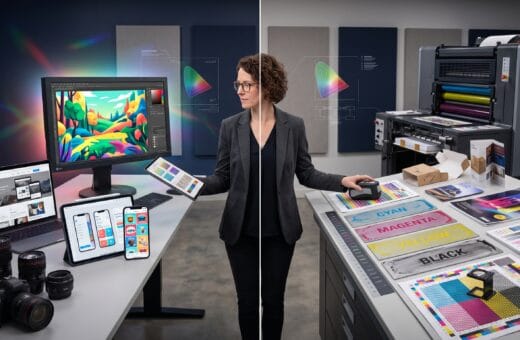
Learning the right graphic design portfolio tips can make the difference between getting noticed and being overlooked. Your portfolio is more than a collection of projects. It’s your professional story. Whether you’re applying for an in-house design position, pitching freelance clients, or seeking internship opportunities, your portfolio is often the first impression you make. A well-crafted portfolio demonstrates not only your technical skills but also your creative thinking, problem-solving abilities, and attention to detail.
Many talented designers struggle to get interviews because their portfolios fail to communicate their strengths effectively. Employers and clients want to see how you approach challenges, develop concepts, and deliver meaningful visual solutions not just attractive graphics.
This guide shares 20 graphic design portfolio tips to help you create a portfolio that stands out, builds trust, and increases your chances of getting hired.
Why Your Portfolio Matters
A strong portfolio can:
- Showcase your creative abilities
- Demonstrate your design process
- Build professional credibility
- Differentiate you from other candidates
- Attract freelance clients
- Increase interview opportunities
- Support higher-paying projects
In many cases, your portfolio speaks before your résumé does.
20 Graphic Design Portfolio Tips
1. Showcase Only Your Best Work
Quality always outweighs quantity. Include projects that represent your strongest skills rather than trying to display everything you’ve ever created.
2. Tailor Your Portfolio to Your Career Goals
If you’re pursuing branding projects, feature logos, identity systems, and packaging. For UI/UX roles, prioritize interfaces, user flows, prototypes, and design systems.
3. Tell the Story Behind Each Project
Go beyond showing the final design. Explain:
- The client’s challenge
- Your creative approach
- Research and inspiration
- Design decisions
- Final results
Employers value strategic thinking as much as visual execution.
4. Demonstrate Your Design Process
Include sketches, wireframes, mood boards, color exploration, or concept development to illustrate how your ideas evolved.
5. Keep the Layout Clean
Your portfolio should support your work not compete with it.
Use:
- Consistent spacing
- Clear typography
- Simple navigation
- Plenty of white space
Minimal layouts help projects stand out.
6. Highlight Real-World Projects
Whenever possible, include work completed for actual businesses, organizations, or freelance clients to demonstrate practical experience.
7. Include Personal Passion Projects
Self-initiated projects showcase creativity, curiosity, and your willingness to continue learning outside of client work.
8. Organize Projects by Category
Grouping similar work improves navigation.
Examples include:
- Branding
- Packaging
- Editorial Design
- Illustration
- Web Design
- UI/UX
- Motion Graphics
- Social Media Design
9. Focus on Results
If possible, describe measurable outcomes, such as:
- Increased engagement
- Improved conversions
- Stronger brand recognition
- Better user experience
Real-world impact adds credibility.
10. Use High-Quality Mockups
Professional mockups help clients and employers visualize how your designs perform in real environments.
Examples include:
- Business cards
- Product packaging
- Mobile screens
- Billboards
- Apparel
- Storefront signage
11. Show Versatility
Demonstrate your ability to work across multiple styles and industries while maintaining strong design fundamentals.
12. Maintain Consistent Branding
Treat your portfolio as a brand.
Ensure consistency in:
- Colors
- Typography
- Buttons
- Image styles
- Layouts
- Personal logo (if applicable)
13. Optimize for Mobile Devices
Many recruiters review portfolios on smartphones or tablets.
Check that your portfolio:
- Loads quickly
- Displays properly on all screen sizes
- Uses readable typography
- Has intuitive navigation
14. Make Contact Information Easy to Find
Include:
- Email address
- LinkedIn profile
- Portfolio website
- Social platforms (if relevant)
Don’t make potential clients search for your contact details.
15. Write Clear Project Descriptions
Keep descriptions concise while explaining:
- Objectives
- Audience
- Design solution
- Deliverables
- Results
Avoid long paragraphs filled with unnecessary jargon.
16. Keep Your Portfolio Updated
Remove outdated work and replace it with stronger, more recent projects that better represent your current abilities.
17. Include Testimonials
Positive feedback from clients, instructors, or colleagues helps establish trust and demonstrates professionalism.
18. Proofread Everything
Spelling and grammar mistakes can undermine an otherwise excellent portfolio.
Review every page carefully before publishing.
19. Demonstrate Problem-Solving Skills
Employers hire designers who solve communication challenges not just people who create visually appealing artwork.
Explain why your solution works.
20. End with a Strong Call to Action
Finish your portfolio with an inviting message encouraging visitors to:
- Schedule a consultation
- Request a quote
- Download your résumé
- Connect on LinkedIn
- Send an email
Make taking the next step easy.
Common Portfolio Mistakes to Avoid
Avoid these frequent errors:
- Including too many weak projects
- Using inconsistent layouts
- Overloading pages with text
- Ignoring mobile optimization
- Displaying blurry images
- Forgetting project context
- Not updating old work
- Hiding contact information
- Using excessive animations
- Prioritizing style over usability
Small improvements can dramatically enhance the viewer’s experience.
Portfolio Checklist Before Publishing
Use this checklist before sharing your portfolio:
- Best work only
- Clear project descriptions
- Professional typography
- Responsive design
- High-resolution images
- Contact information visible
- Consistent branding
- Proofread content
- Fast loading pages
- Updated projects
Reviewing these essentials can help you present a polished, professional portfolio.
Recommended Portfolio Sections
A complete graphic design portfolio typically includes:
- Home page
- About Me
- Portfolio Projects
- Case Studies
- Services (for freelancers)
- Client Testimonials
- Résumé or Experience
- Contact Page
This structure helps employers quickly understand your skills and experience.
Conclusion
Building a successful portfolio is an ongoing process. As your skills grow, your portfolio should evolve to reflect your latest work, creative thinking, and professional achievements. Remember that employers aren’t simply looking for beautiful designs they’re looking for designers who can solve problems, communicate ideas, and deliver meaningful results.
By applying these 20 graphic design portfolio tips, you’ll create a portfolio that showcases your strengths, builds confidence with potential employers and clients, and significantly improves your chances of getting hired. Invest time in refining your presentation, updating your projects regularly, and telling the story behind your work. A thoughtful portfolio can become your most valuable career asset.
Also Read: “Startup Funding Ideas for New Entrepreneurs“