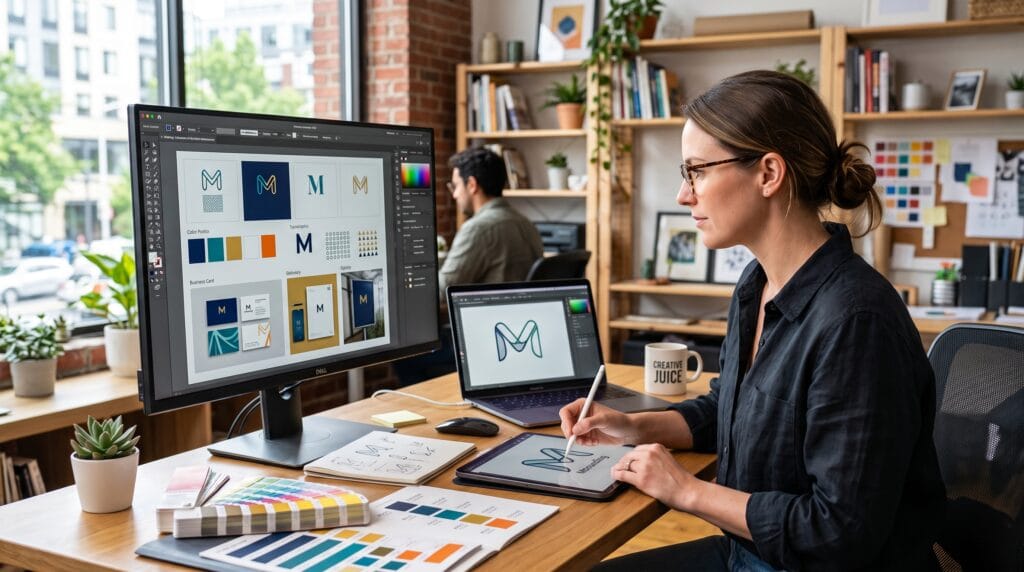
A logo is far more than a simple graphic, it is the visual signature of a brand. It communicates personality, builds recognition, and helps customers identify a business across websites, products, packaging, advertising, and social media. A thoughtfully designed logo can leave a lasting impression, while a poorly designed one may weaken credibility. This logo design tutorial provides a complete guide to designing memorable brand logos that are both visually appealing and strategically effective.
Professional logo design combines creativity with problem-solving. Every shape, color, font, and symbol should reinforce the brand’s identity and communicate its values. Whether you’re designing a logo for your own business or working with clients, understanding the fundamentals of logo design is essential for creating timeless and versatile brand identities.
What Is Logo Design?
Logo design is the process of creating a visual identity that represents a company, product, organization, or personal brand.
A successful logo should:
- Represent the brand clearly
- Be easy to recognize
- Work across different media
- Remain memorable over time
- Reflect the company’s personality
The best logos balance simplicity with meaning.
Why a Strong Logo Matters
A professionally designed logo helps:
- Increase brand recognition
- Build customer trust
- Differentiate from competitors
- Improve marketing consistency
- Strengthen brand identity
- Support long-term business growth
- Enhance customer loyalty
Your logo is often the first impression customers have of your business.
The 7 Principles of Great Logo Design
Professional logos typically share these characteristics:
- Simplicity
- Memorability
- Relevance
- Versatility
- Scalability
- Timelessness
- Balance
These principles help ensure a logo remains effective across different applications.
Logo Design Tutorial
1. Understand the Brand
Before sketching ideas, research the business thoroughly.
Ask questions such as:
- What does the business do?
- Who is the target audience?
- What values define the brand?
- What makes it different from competitors?
- What emotions should the logo communicate?
Understanding the brand leads to stronger design decisions.
2. Research the Industry
Study competitors to identify:
- Common design trends
- Color usage
- Typography styles
- Symbol choices
- Branding opportunities
The goal is to understand the market, not to copy existing logos.
3. Choose the Right Logo Style
Different businesses benefit from different logo styles.
Wordmark
Uses only the company name.
Best for:
- Startups
- Technology companies
- Fashion brands
Lettermark
Uses initials or abbreviations.
Suitable for:
- Large corporations
- Personal brands
- Professional services
Combination Mark
Combines text with an icon.
Excellent for:
- Ecommerce
- Retail
- Small businesses
Brandmark
A symbol without text.
Best for:
- Established brands
- Mobile apps
- Global businesses
Emblem
Text integrated within a symbol.
Popular for:
- Schools
- Restaurants
- Sports teams
- Vintage brands
4. Sketch Logo Concepts
Begin with quick sketches before moving to software.
Focus on:
- Shapes
- Symbols
- Layouts
- Composition
- Simplicity
Generating multiple concepts often leads to stronger final designs.
5. Select Typography
Typography strongly influences brand perception.
Serif Fonts
Ideal for:
- Luxury brands
- Traditional businesses
- Editorial companies
Sans-Serif Fonts
Perfect for:
- Technology
- Startups
- Modern businesses
Script Fonts
Best for:
- Boutique brands
- Handmade products
- Personal brands
Limit your logo to one or two complementary typefaces.
6. Apply Color Psychology
Colors communicate emotion and personality.
| Color | Meaning |
|---|---|
| Blue | Trust, professionalism |
| Green | Growth, sustainability |
| Red | Energy, passion |
| Yellow | Optimism, creativity |
| Orange | Friendliness, enthusiasm |
| Purple | Innovation, luxury |
| Black | Elegance, sophistication |
| White | Simplicity, clarity |
| Gray | Balance, professionalism |
| Brown | Warmth, authenticity |
Choose colors that support the brand’s positioning.
7. Build the Logo in Vector Format
Professional logos should always be created as vector graphics.
Benefits include:
- Infinite scalability
- Crisp edges
- Easy editing
- Print quality
- Smaller file sizes
Vector logos maintain quality at every size.
8. Test Logo Versatility
Your logo should perform well on:
- Websites
- Mobile apps
- Business cards
- Packaging
- Billboards
- Social media
- Merchandise
- Signage
Always test your design at both very small and very large sizes.
9. Create Logo Variations
Professional logo systems often include:
- Full-color version
- Black version
- White version
- Horizontal layout
- Vertical layout
- Icon-only version
- Favicon version
These variations improve flexibility across different applications.
10. Develop Brand Guidelines
Brand guidelines help maintain consistency.
Include:
- Logo spacing
- Minimum size
- Approved colors
- Typography
- Incorrect logo usage
- Background rules
- File formats
Guidelines ensure the logo is used correctly across all marketing materials.
Popular Logo Design Trends in 2026
Modern branding trends include:
- Minimalist logos
- Geometric icons
- Variable logo systems
- Monochrome branding
- Custom typography
- Flat design
- Subtle gradients
- Responsive logos
Choose trends carefully, timeless design usually outlasts temporary styles.
Logo Design Workflow
| Stage | Purpose |
|---|---|
| Brand Research | Understand the business |
| Competitor Analysis | Identify opportunities |
| Sketching | Generate concepts |
| Typography Selection | Build personality |
| Color Exploration | Reinforce emotions |
| Vector Design | Create scalable artwork |
| Testing | Verify usability |
| Brand Guidelines | Ensure consistency |
A structured process leads to more effective and professional results.
Recommended Logo Design Tools
| Tool | Purpose |
|---|---|
| Adobe Illustrator | Professional vector logo design |
| Figma | Collaborative design |
| Affinity Designer | Vector illustration |
| CorelDRAW | Graphic design |
| Canva | Beginner-friendly logo concepts |
| Adobe Photoshop | Mockups and presentations |
| Procreate | Sketching ideas |
| Coolors | Color palette creation |
| Adobe Color | Color harmony exploration |
| ChatGPT | Brand naming, concepts, and messaging |
These tools support every stage of logo development.
Common Logo Design Mistakes
Avoid these common pitfalls:
- Overcomplicated designs
- Too many colors
- Generic stock icons
- Poor typography choices
- Ignoring scalability
- Designing only for digital use
- Following short-lived trends
- Skipping brand research
Strong logos are built on strategy as much as creativity.
Frequently Asked Questions
1. What makes a logo memorable?
A memorable logo is simple, distinctive, relevant to the brand, and easy to recognize across different sizes and platforms.
2. Which software is best for logo design?
Adobe Illustrator is widely regarded as the industry standard because it creates vector graphics. Figma and Affinity Designer are also excellent options, depending on your workflow and collaboration needs.
3. Why should logos be designed in vector format?
Vector graphics can be resized without losing quality, making them ideal for websites, social media, packaging, business cards, and large-format printing.
4. How many colors should a logo have?
Most professional logos use one to three primary colors. A limited palette improves consistency, recognition, and versatility.
Logo Design Checklist
- Research the brand
- Understand the target audience
- Sketch multiple concepts
- Choose appropriate typography
- Apply color psychology thoughtfully
- Create vector artwork
- Test scalability
- Design logo variations
- Develop brand guidelines
- Review the logo across digital and print applications
Best Practices for Professional Logo Design
To get the most from this logo design tutorial:
- Start every project by understanding the brand’s goals, audience, and personality.
- Keep the design simple enough to remain recognizable at any size.
- Prioritize timeless design principles over short-lived trends.
- Use typography and color intentionally to reinforce the brand message.
- Create flexible logo variations for websites, packaging, merchandise, and social media.
- Test your logo in color, black, white, and different background conditions before finalizing it.
- Deliver a complete brand identity package that includes logo files, color specifications, typography guidelines, and usage rules.
Professional logo design combines creativity with strategic thinking to create identities that remain effective for years.
Conclusion on Logo Design
This logo design tutorial demonstrates that memorable brand logos are created through thoughtful research, strategic planning, and timeless design principles. By understanding your audience, selecting the right typography and color palette, designing scalable vector artwork, and maintaining consistency across every brand touchpoint, you can build logos that communicate trust, strengthen recognition, and support long-term business success. Whether you’re designing for startups, established businesses, or personal brands, mastering logo design is one of the most valuable skills in modern graphic design.
Also Read: “Canva Tutorial: How to Design Like a Professional“