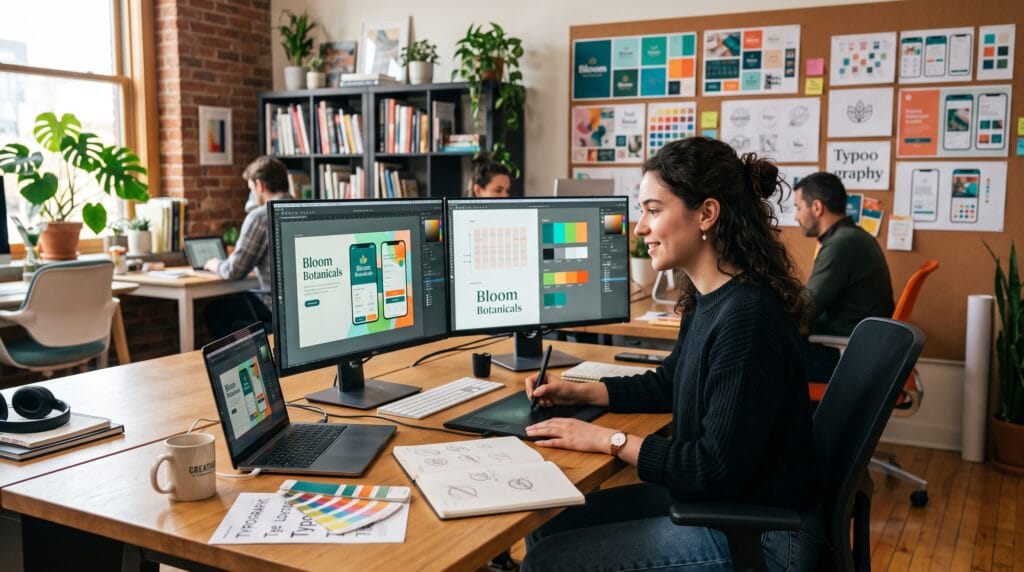
Graphic design is one of the most valuable creative skills in today’s digital world. From logos and websites to social media graphics, product packaging, advertisements, and mobile applications, graphic design influences how people communicate and interact with brands every day. Whether you’re pursuing a creative career, building your own business, or simply exploring a new hobby, this graphic design tutorial provides the foundation you need to begin designing with confidence.
Many beginners believe graphic design is only about making things look attractive. In reality, effective design combines creativity with communication, problem-solving, and visual organization. By learning the core principles, understanding essential tools, and practicing consistently, you can create designs that are both visually appealing and highly functional.
This complete graphic design tutorial covers everything beginners need to know to start their design journey.
What Is Graphic Design?
Graphic design is the art and practice of communicating ideas through visual elements.
Designers combine:
- Typography
- Color
- Images
- Icons
- Shapes
- Layouts
- Illustrations
to communicate information clearly and attractively.
Graphic design appears everywhere, including:
- Websites
- Mobile apps
- Social media
- Books
- Packaging
- Advertising
- Business branding
- Presentations
Its purpose is to solve communication problems through visual design.
Why Learn Graphic Design?
Graphic design offers numerous opportunities.
Benefits include:
- Creative career options
- Freelancing opportunities
- Business branding skills
- Higher marketing effectiveness
- Improved communication
- Better visual storytelling
- Valuable digital skills
Learning design also strengthens creativity and problem-solving abilities.
Essential Graphic Design Principles
Every beginner should understand these core principles.
1. Balance
Balance distributes visual weight across a design.
Types include:
- Symmetrical balance
- Asymmetrical balance
- Radial balance
Balanced designs feel organized and professional.
2. Contrast
Contrast creates visual interest by emphasizing differences.
Examples:
- Dark vs. light
- Large vs. small
- Bold vs. thin
- Bright vs. muted colors
Good contrast improves readability and highlights important information.
3. Alignment
Alignment organizes design elements into a structured layout.
Proper alignment:
- Improves readability
- Creates consistency
- Makes layouts appear professional
Avoid randomly placing objects on the page.
4. White Space
White space (negative space) is the empty area around design elements.
Benefits include:
- Cleaner layouts
- Better readability
- Improved focus
- Premium appearance
Good designers know that empty space is an important design tool.
5. Hierarchy
Visual hierarchy guides the viewer’s attention.
You can create hierarchy using:
- Font size
- Color
- Contrast
- Position
- Spacing
The most important information should stand out first.
6. Repetition
Repeating visual elements creates consistency.
Repeat:
- Colors
- Fonts
- Icons
- Button styles
- Layout patterns
Consistency strengthens brand recognition.
Understanding Color Theory
Color influences emotion and communication.
Primary colors:
- Red
- Blue
- Yellow
Common color meanings:
| Color | Common Association |
|---|---|
| Blue | Trust and professionalism |
| Green | Nature and growth |
| Red | Energy and urgency |
| Yellow | Optimism and creativity |
| Black | Luxury and elegance |
| White | Simplicity and cleanliness |
Choose colors intentionally to support your message.
Typography Basics
Typography affects readability and personality.
Good typography involves:
- Choosing readable fonts
- Creating clear hierarchy
- Maintaining spacing
- Using consistent font pairings
A simple guideline:
- One heading font
- One body font
Too many fonts create visual clutter.
Layout and Composition
A strong layout organizes content effectively.
Popular techniques include:
- Grid systems
- Rule of thirds
- Consistent margins
- Visual grouping
- Proper spacing
Well-structured layouts improve the user experience.
Images and Graphics
Use high-quality visuals.
Best practices:
- Choose high-resolution images.
- Maintain consistent style.
- Optimize images for web or print.
- Avoid stretching or distorting graphics.
- Use icons consistently.
Quality visuals increase professionalism.
Logo Design Basics
A successful logo should be:
- Simple
- Memorable
- Scalable
- Timeless
- Relevant
The best logos communicate brand identity without unnecessary complexity.
Branding Fundamentals
Graphic design plays a central role in branding.
Brand identity includes:
- Logo
- Colors
- Typography
- Imagery
- Voice
- Style guidelines
Consistency across all materials builds recognition and trust.
Popular Graphic Design Projects
Beginners can practice by creating:
- Logos
- Business cards
- Social media posts
- Posters
- Flyers
- Brochures
- Website mockups
- Mobile app interfaces
- Presentation slides
- Product packaging
Working on real-world projects accelerates learning.
Common File Formats
Understanding export formats is essential.
| Format | Best Use |
|---|---|
| JPG | Photos and web images |
| PNG | Transparent graphics |
| SVG | Logos and vector graphics |
| Print-ready documents | |
| AI | Editable vector artwork |
| PSD | Editable image projects |
Selecting the correct format ensures better quality and compatibility.
Recommended Graphic Design Software
| Tool | Purpose |
|---|---|
| Adobe Photoshop | Photo editing and digital graphics |
| Adobe Illustrator | Vector illustrations and logo design |
| Adobe InDesign | Books, magazines, and brochures |
| Canva | Beginner-friendly graphic design |
| Figma | UI/UX and collaborative design |
| Adobe Express | Quick marketing graphics |
| Affinity Designer | Professional vector design |
| Procreate | Digital illustration (iPad) |
| Blender | 3D graphics and rendering |
| GIMP | Free image editing |
Choose tools based on your goals and budget.
Practice Exercises for Beginners
Improve your skills by practicing:
- Recreate a simple logo.
- Design a social media post.
- Create a business card.
- Design a movie poster.
- Build a landing page mockup.
- Redesign a product package.
- Create an infographic.
- Design a personal portfolio homepage.
Regular practice develops both creativity and technical skills.
Common Beginner Mistakes on Graphic Design Tutorial
Avoid these common errors:
- Using too many fonts
- Poor alignment
- Overcrowded layouts
- Low-quality images
- Weak color contrast
- Ignoring white space
- Inconsistent branding
- Designing without a clear purpose
Simple, clean designs often communicate more effectively.
Tips to Improve Faster
To become a better designer:
- Study successful designs.
- Learn design principles thoroughly.
- Practice daily.
- Request constructive feedback.
- Build a portfolio.
- Experiment with different styles.
- Stay updated with design trends.
- Continue learning new software and techniques.
Growth comes from consistent practice and curiosity.
Frequently Asked Questions of Graphic Design Tutorial
1. What is graphic design?
Graphic design is the process of using visual elements such as typography, color, images, and layout to communicate ideas and solve communication problems.
2. Which software should beginners start with?
Many beginners start with Canva because of its ease of use. As skills develop, tools such as Adobe Photoshop, Adobe Illustrator, and Figma offer greater creative flexibility and professional features.
3. Do I need to know how to draw?
No. While drawing can be helpful for some projects, many successful graphic designers focus on layout, typography, branding, digital illustration, and visual communication without relying heavily on traditional drawing skills.
4. How long does it take to learn graphic design?
Basic design principles can be learned within a few weeks of consistent practice. Developing professional-level skills typically requires ongoing learning, practical projects, and portfolio building over months or years.
Graphic Design Tutorial Learning Checklist
- Learn design principles
- Understand color theory
- Practice typography
- Study layout and composition
- Learn industry-standard software
- Build real-world projects
- Create a professional portfolio
- Seek constructive feedback
- Stay current with design trends
- Continue practicing consistently
Best Practices for New Designers
To get the most from this graphic design tutorial:
- Focus on communication before decoration.
- Master the fundamentals before experimenting with complex styles.
- Build consistency through grids, spacing, and typography.
- Learn by recreating professional designs for practice.
- Save every project to track your improvement.
- Develop a portfolio that demonstrates a variety of skills.
- Stay curious and continue learning as design tools and trends evolve.
The strongest designers combine creativity with strategy, clarity, and attention to detail.
Conclusion on Graphic Design Tutorial
This graphic design tutorial provides the essential knowledge every beginner needs to begin creating effective visual designs. By understanding design principles, mastering typography and color theory, learning professional software, and practicing with real-world projects, you can build a strong foundation for a successful creative journey. Graphic design is both an art and a problem-solving discipline, and improvement comes through continuous learning and hands-on experience. Stay consistent, experiment with new ideas, and remember that every great designer started by mastering the basics.
Also Read: “Canva Tutorial: How to Design Like a Professional“