
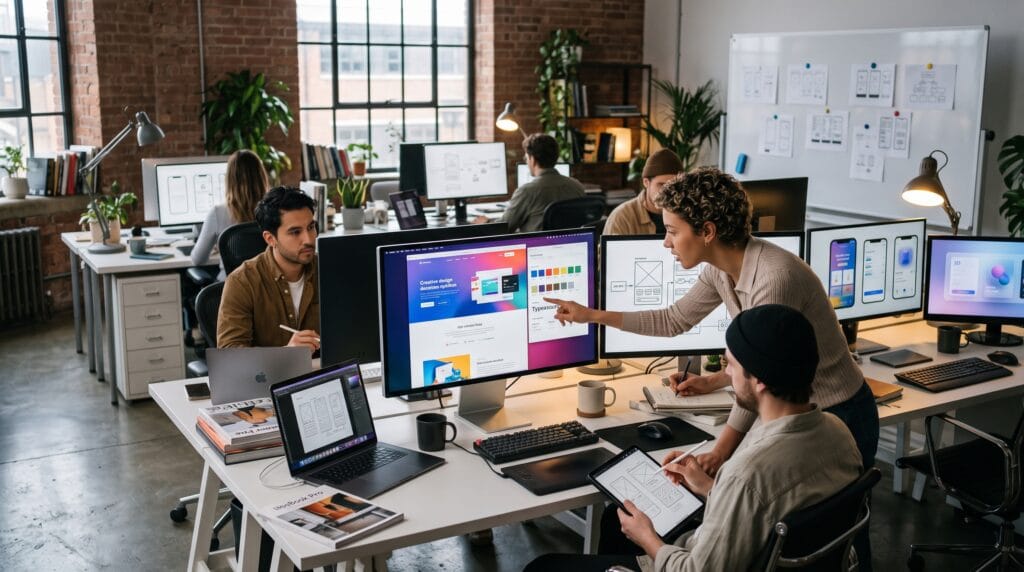
Creating an exceptional website requires more than attractive visuals. The best websites combine aesthetics, usability, performance, and storytelling to deliver memorable user experiences. Whether you’re designing a business website, portfolio, online store, SaaS platform, or personal blog, finding the right web design inspiration can help transform your ideas into engaging digital experiences.
Modern websites prioritize simplicity, responsiveness, accessibility, and intuitive navigation while incorporating creative elements that reflect a brand’s identity. This guide explores 25 web design inspiration ideas that can help designers, developers, and business owners create websites that not only look beautiful but also convert visitors into loyal customers.
Why Web Design Inspiration Matters
Good design goes beyond appearance.
Finding inspiration helps you:
- Improve user experience
- Build stronger brand identity
- Increase engagement
- Improve website conversions
- Stay updated with modern trends
- Encourage creative thinking
- Differentiate your website from competitors
The goal isn’t to copy existing websites but to learn from successful design patterns.
1. Minimalist Layouts
Minimalism continues to dominate modern web design.
Characteristics include:
- Clean layouts
- Large white space
- Simple navigation
- Limited color palette
- Clear typography
Less clutter often leads to better usability.
2. Full-Screen Hero Sections
Large hero banners create strong first impressions.
Include:
- High-quality photography
- Bold headlines
- Clear call-to-action buttons
- Simple supporting text
The hero section should communicate your value proposition immediately.
3. Bold Typography
Typography has become a major visual element.
Best practices:
- Large headings
- High contrast
- Clear font hierarchy
- Readable body text
Strong typography guides users through your content.
4. Glassmorphism
Glass-like interface elements create depth.
Features include:
- Frosted backgrounds
- Transparency
- Blur effects
- Soft shadows
Use sparingly to maintain readability.
5. Dark Mode
Dark interfaces remain highly popular.
Benefits include:
- Modern appearance
- Reduced eye strain
- Improved contrast
- Premium brand perception
Offering both light and dark themes enhances user choice.
6. 3D Design Elements
Three-dimensional graphics add realism.
Examples include:
- Product showcases
- Interactive objects
- Floating illustrations
- Animated icons
Modern browsers now handle 3D content efficiently.
7. Scroll-Based Storytelling
Guide visitors through content using interactive scrolling.
Ideas include:
- Animated transitions
- Sticky sections
- Layered effects
- Sequential storytelling
This approach works especially well for product launches and portfolios.
8. Micro-Interactions
Small animations improve usability.
Examples:
- Hover effects
- Animated buttons
- Form feedback
- Loading indicators
- Navigation highlights
Subtle interactions create a more polished experience.
9. Split-Screen Layouts
Split layouts organize content effectively.
Ideal for:
- Product comparisons
- Creative portfolios
- Fashion websites
- Agency landing pages
Balanced layouts improve visual interest.
10. Bento Grid Layouts
Inspired by Japanese bento boxes, these layouts organize content into modular sections.
Advantages:
- Easy content scanning
- Modern appearance
- Flexible organization
- Mobile-friendly structure
This trend works well for SaaS websites and portfolios.
11. Interactive Illustrations
Custom illustrations help communicate complex ideas.
Applications include:
- Landing pages
- Tutorials
- Educational websites
- Technology companies
Unique illustrations strengthen brand identity.
12. Video Backgrounds
Short background videos create immersive experiences.
Best practices:
- Keep videos short
- Optimize loading speed
- Avoid distracting movement
- Provide fallback images
Use video to support, not overwhelm your message.
13. Asymmetrical Layouts
Breaking traditional grids creates visual interest.
Benefits:
- Dynamic appearance
- Better storytelling
- Unique brand personality
Maintain balance even with unconventional layouts.
14. AI-Powered Personalization
Modern websites increasingly adapt to user behavior.
Examples:
- Personalized recommendations
- Dynamic homepage content
- Smart search
- Customized offers
Personalization improves engagement and conversions.
15. Creative Navigation
Navigation should be both functional and memorable.
Ideas include:
- Sticky menus
- Mega menus
- Animated navigation
- Full-screen menus
- Icon-based navigation
Always prioritize usability over novelty.
16. Large Product Photography
High-quality images build trust.
Focus on:
- Multiple viewing angles
- Lifestyle imagery
- Zoom functionality
- Consistent lighting
Professional photography elevates perceived quality.
17. Strong Color Gradients
Modern gradients add energy without overwhelming the design.
Popular uses:
- Hero backgrounds
- Buttons
- Icons
- Section dividers
Use gradients consistently throughout the design.
18. Card-Based Design
Cards organize information into manageable sections.
Ideal for:
- Blogs
- Dashboards
- E-commerce
- Service listings
Cards improve readability and responsiveness.
19. Motion Graphics
Purposeful animation guides attention.
Examples include:
- Animated icons
- Progress indicators
- Section transitions
- Loading animations
Motion should enhance user experience rather than distract.
20. Accessibility-First Design
Inclusive websites reach broader audiences.
Important practices include:
- High color contrast
- Keyboard navigation
- Alternative text
- Readable typography
- Logical heading structure
Accessibility improves usability for everyone.
21. Sustainable Web Design
Efficient websites benefit users and the environment.
Strategies include:
- Optimized images
- Lightweight code
- Faster loading
- Efficient hosting
- Reduced unnecessary animations
Performance and sustainability often go hand in hand.
22. Personalized Landing Pages
Tailor landing pages for different audiences.
Customize:
- Headlines
- Offers
- Images
- Testimonials
- Calls-to-action
Relevant content improves conversion rates.
23. Interactive Data Visualization
Present information visually through:
- Charts
- Graphs
- Maps
- Dashboards
- Animated statistics
Interactive visuals make complex information easier to understand.
24. Consistent Brand Design
Consistency strengthens recognition.
Maintain alignment across:
- Colors
- Typography
- Icons
- Photography
- Messaging
- Buttons
Strong branding builds trust.
25. Mobile-First User Experience
Design for smartphones before desktop.
Focus on:
- Responsive layouts
- Large touch targets
- Fast loading
- Simplified navigation
- Optimized forms
A mobile-first approach supports the majority of today’s web users.
Web Design Best Practices
Regardless of style, every successful website should:
- Prioritize user experience.
- Optimize loading speed.
- Maintain visual consistency.
- Follow accessibility standards.
- Use responsive design.
- Include clear calls to action.
- Test regularly on multiple devices.
Timeless usability principles are more valuable than short-lived design trends.
Recommended Web Design Tools
| Tool | Purpose |
|---|---|
| Figma | UI/UX design |
| Webflow | No-code website development |
| Framer | Interactive website prototyping |
| Adobe Photoshop | Image editing |
| Adobe Illustrator | Vector graphics |
| Canva | Marketing visuals |
| Coolors | Color palette generation |
| Google Fonts | Web typography |
| Hotjar | User behavior analysis |
| Lighthouse | Performance and accessibility testing |
Common Web Design Mistakes
Avoid these pitfalls:
- Cluttered layouts
- Poor mobile optimization
- Weak typography
- Slow loading speeds
- Inconsistent branding
- Confusing navigation
- Low-quality images
- Missing calls to action
Simple, user-centered design often delivers the best results.
Frequently Asked Questions of Web Design Inspiration
1. Where can I find web design inspiration?
You can explore design galleries, portfolio platforms, award-winning websites, and design communities. However, use inspiration to spark original ideas rather than copying existing work.
2. What makes a modern website?
Modern websites combine clean layouts, responsive design, fast performance, accessibility, intuitive navigation, and engaging visuals while maintaining a strong focus on user experience.
3. Should I follow every design trend?
No. Choose trends that align with your audience, brand identity, and business goals. Functionality should always take priority over visual novelty.
4. Is minimalism still a good design choice?
Yes. Minimalist design remains popular because it improves readability, usability, and performance while creating a timeless appearance.
Web Design Inspiration Checklist
- Define your website goals
- Research your target audience
- Build mobile-first layouts
- Use consistent branding
- Create clear navigation
- Optimize page speed
- Include high-quality visuals
- Improve accessibility
- Test user experience regularly
- Continuously refine your design
Conclusion on Web Design Inspiration
Finding the right web design inspiration is the first step toward creating websites that are both visually compelling and highly functional. The best modern websites blend clean aesthetics, responsive layouts, engaging interactions, accessibility, and performance to deliver exceptional user experiences. By exploring these 25 ideas and adapting them to your unique brand and audience, you can create a website that not only captures attention but also builds trust, encourages engagement, and drives long-term business success. Great web design is about more than following trends, it’s about solving user problems through thoughtful, creative, and purposeful design.
Also Read: “25 Graphic Design Ideas to Spark Your Creativity“


