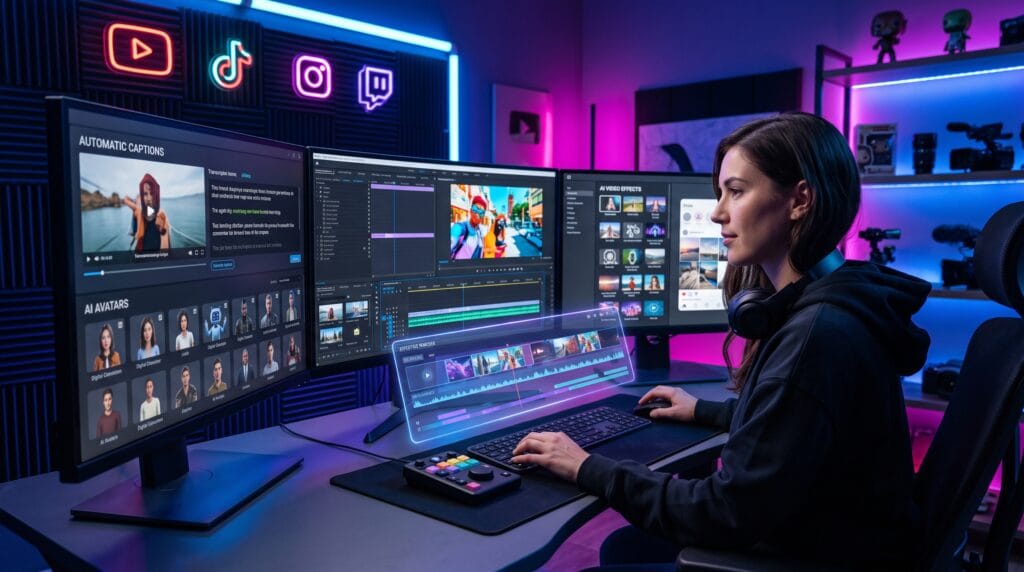
AI video tools are becoming essential because video continues to dominate digital content. Today, video is one of the most effective ways to educate, entertain, promote products, and connect with audiences. However, producing high-quality videos consistently can take a lot of time. Editing footage, adding captions, removing background noise, creating thumbnails, and publishing across multiple platforms often requires hours of work.
Fortunately, modern AI video tools are transforming the content creation process. These platforms automate repetitive editing tasks, improve production quality, generate realistic voiceovers, create AI avatars, and even turn text into complete videos. Whether you’re a YouTuber, marketer, educator, entrepreneur, or social media creator, AI can help you produce more content in less time.
This guide explores the top AI video tools for content creators in 2026, their standout features, and how to choose the right solution for your workflow.
Why AI Video Tools Are Changing Content Creation
AI-powered video software helps creators:
- Edit videos faster
- Generate automatic captions
- Create realistic voiceovers
- Produce AI-generated visuals
- Remove background noise
- Repurpose long-form content
- Improve video quality
- Publish consistently
Instead of replacing creativity, AI handles repetitive production tasks so creators can focus on storytelling.
Top AI Video Tools in 2026
1. CapCut AI
Best for:
Key Features
- AI auto captions
- Background removal
- AI video enhancement
- Smart transitions
- Text-to-speech
- Auto reframing
Pros
- Beginner-friendly
- Free core features
- Mobile and desktop support
Cons
- Some advanced AI tools require a premium subscription.
2. Descript
Best for:
- Podcasts
- Tutorials
- Interviews
- Educational videos
Key Features
- Text-based video editing
- AI transcription
- Voice cloning
- Screen recording
- Automatic filler-word removal
Pros
- Extremely fast editing workflow
- Excellent transcription accuracy
Cons
- Advanced features have a learning curve.
3. Runway
Best for:
- AI-powered video generation
- Visual effects
- Professional creators
Key Features
- Text-to-video generation
- Object removal
- Background replacement
- Motion tracking
- AI image animation
Pros
- Powerful generative AI capabilities
- High-quality visual effects
Cons
- Premium plans may be expensive for beginners.
4. Synthesia
Best for:
- Business presentations
- Corporate training
- Educational videos
Key Features
- AI avatars
- Text-to-video
- Multilingual voiceovers
- Presentation templates
Pros
- No camera required
- Professional-looking presenters
Cons
- Less suitable for cinematic storytelling.
5. Pika
Best for:
- Creative animations
- AI-generated short videos
- Concept visualization
Key Features
- Text-to-video generation
- Image animation
- AI motion effects
- Fast rendering
Pros
- Easy to use
- Creative output
Cons
- Limited advanced editing features.
6. VEED.io
Best for:
- Online editing
- Marketing videos
- Social media content
Key Features
- AI subtitles
- Screen recording
- Voice transcription
- Brand templates
- Collaboration tools
Pros
- Browser-based workflow
- No software installation
Cons
- Large projects may process more slowly online.
7. InVideo AI
Best for:
- Marketing videos
- Promotional content
- Blog-to-video conversion
Key Features
- AI script generation
- Automatic scene creation
- Stock media integration
- AI voiceovers
- Social media exports
Pros
- Fast video creation
- Beginner-friendly interface
Cons
- Heavy customization may require manual adjustments.
8. Adobe Premiere Pro with AI
Best for:
- Professional editors
- Commercial production
- Advanced creators
Key Features
- AI object removal
- Speech enhancement
- Automatic color adjustments
- Scene editing
- Smart masking
Pros
- Industry-standard editing software
- Advanced creative controls
Cons
- Higher learning curve than beginner tools.
9. Canva AI Video
Best for:
- Business owners
- Educators
- Social media managers
Key Features
- AI-generated presentations
- Video templates
- Text animations
- Brand kits
- Stock assets
Pros
- Very easy to learn
- Excellent collaboration tools
Cons
- Less advanced than dedicated editing software.
10. HeyGen
Best for:
- AI spokesperson videos
- Product demos
- Business communication
Key Features
- AI avatars
- Voice cloning
- Language translation
- Personalized video generation
Pros
- Professional presenter videos
- Supports multiple languages
Cons
- Avatar-focused rather than traditional video editing.
Comparison Table
| AI Video Tool | Best For | AI Features | Skill Level |
|---|---|---|---|
| Short-form content | Auto captions, AI editing | Beginner | |
| Podcasts & tutorials | Text editing, transcription | Beginner–Intermediate | |
| Creative production | Text-to-video, VFX | Intermediate | |
| Training videos | AI avatars | Beginner | |
| AI animation | Text-to-video | Beginner | |
| Online editing | AI subtitles | Beginner | |
| Marketing | Script-to-video | Beginner | |
| Professional editing | AI enhancement | Advanced | |
| Business content | Templates & AI design | Beginner | |
| AI presenters | Avatars & translation | Beginner |
How to Choose the Right AI Video Tool
Consider these factors before making a decision:
- Your content type
- Editing experience
- Budget
- Export quality
- AI automation features
- Collaboration needs
- Platform compatibility
- Publishing workflow
Selecting software that matches your content goals will improve both productivity and results.
Tips for Creating Better Videos with AI
Maximize your workflow by following these best practices:
- Start with a clear script or outline.
- Use AI to automate repetitive editing tasks.
- Review AI-generated captions for accuracy.
- Keep branding consistent across videos.
- Optimize videos for each social platform.
- Combine AI efficiency with human creativity.
- Test different video formats to discover what resonates with your audience.
AI is most effective when used to enhance not replace your creative vision.
Common Mistakes to Avoid
Many creators reduce video quality by:
- Publishing AI-generated content without reviewing it
- Overusing AI effects and transitions
- Ignoring audio quality
- Neglecting storytelling
- Skipping subtitles
- Using inconsistent branding
- Forgetting mobile optimization
Even the most advanced AI tools work best with thoughtful editing and creative direction.
Who Should Use AI Video Tools?
These tools are valuable for:
- YouTubers
- TikTok creators
- Instagram creators
- Marketing agencies
- Small business owners
- Online educators
- Course creators
- Podcasters
- Freelancers
- Corporate training teams
Whether you’re creating educational tutorials, promotional campaigns, or social media videos, AI can help you produce more engaging content with less manual effort.
Conclusion
The latest AI video tools are making professional video production faster, more accessible, and more affordable than ever. From automated editing and realistic voiceovers to AI avatars and text-to-video generation, these platforms help creators streamline workflows without sacrificing quality.
The best choice depends on your goals. CapCut AI and VEED.io are excellent for short-form social content, Descript simplifies editing through transcription, Runway pushes creative boundaries with generative AI, while Adobe Premiere Pro remains the top choice for professional production. By choosing the right AI video tools and combining them with your own creativity, you’ll be well equipped to produce compelling content that stands out in 2026 and beyond.
Also Read: “AI Tools Every Small Business Should Use in 2026“