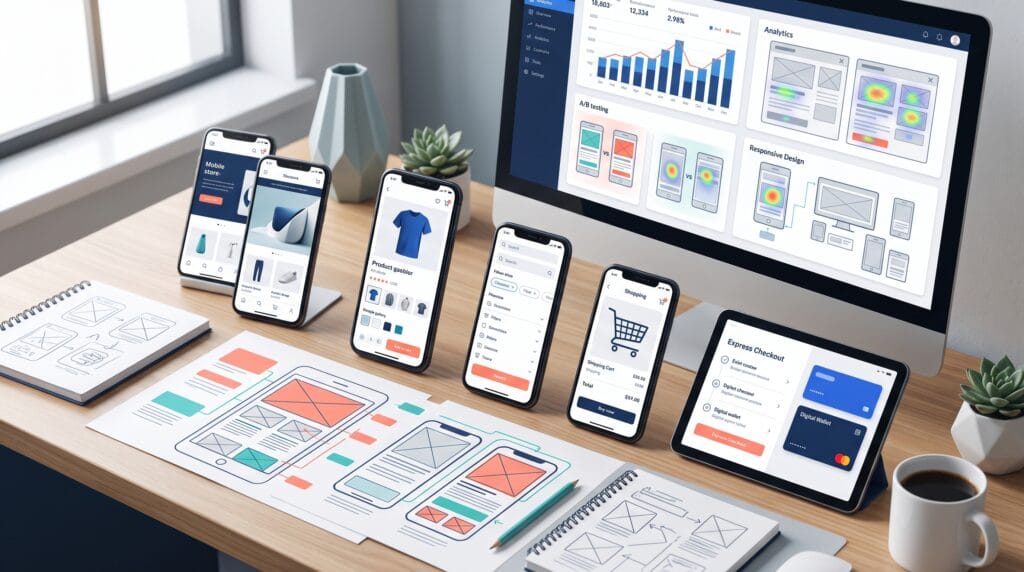
Mobile shoppers expect ecommerce experiences to be fast, clear, secure, and easy to complete with one hand. They may arrive from a social post, search result, advertisement, email, or message and decide within seconds whether a store feels trustworthy. Effective mobile e-commerce optimization reduces friction across that entire journey, from the first page view to payment confirmation.
A desktop store that merely shrinks to fit a smaller screen is not truly mobile optimized. Mobile customers face limited screen space, touch input, slower connections, interruptions, autofill challenges, and greater sensitivity to confusing forms. Every unnecessary step can increase abandonment.
The strongest mobile stores make products easy to discover, present essential details quickly, provide visible reassurance, support familiar payment methods, and preserve progress when users leave and return. They also measure real behavior instead of relying only on design assumptions.
This guide explains practical mobile e-commerce optimization tactics for improving speed, navigation, search, product pages, carts, checkout, payments, trust, accessibility, analytics, and testing.
Why Mobile E-commerce Optimization Matters
Mobile optimization affects more than visual appearance. It influences:
- Product discovery
- Engagement
- Search visibility
- Add-to-cart activity
- Checkout completion
- Repeat purchases
- Customer support demand
- Brand trust
A slow or confusing experience can reduce conversions even when the product and price are competitive.
Strong mobile e-commerce optimization helps shoppers answer four questions quickly:
- Is this the right product?
- Can I trust this store?
- What will the total order cost?
- Can I complete the purchase easily?
1. Start With Mobile Performance
Page speed is one of the most important foundations of mobile conversion.
Optimize Images
Use:
- Modern image formats
- Correct dimensions
- Compression
- Responsive image sizes
- Lazy loading below the fold
- Optimized thumbnails
Avoid sending large desktop images to small screens.
Reduce Unnecessary Scripts
Third-party scripts for chat, analytics, reviews, advertising, and personalization can slow pages.
Audit each script and ask:
- Does it support revenue?
- Is it loaded on every page?
- Can it load later?
- Is a lighter alternative available?
Simplify Visual Effects
Heavy animation, autoplay video, and large sliders can delay interaction.
Use motion only when it improves understanding.
Improve Server and Cache Performance
Consider:
- Reliable hosting
- Content delivery networks
- Browser caching
- Page caching
- Database optimization
- Efficient themes
- Updated software
Also Read: UX/UI Design Meets SEO: A Practical Guide for Websites
2. Design Mobile-First Navigation
Mobile navigation should help users reach products without opening several layers of menus.
Keep the Main Menu Focused
Prioritize:
- Shop
- Categories
- Search
- Account
- Cart
- Help
Move lower-priority company pages into secondary navigation.
Use Familiar Labels
Choose words customers understand.
“Women’s Shoes” is clearer than a creative label that requires interpretation.
Preserve Navigation Context
When a shopper returns from a product page, preserve:
- Scroll position
- Applied filters
- Sort order
- Search query
Losing progress creates unnecessary frustration.
3. Make Mobile Search Easy to Use
Search is especially valuable when a store has many products.
Keep Search Visible
Do not hide search behind several taps.
Support Common Query Problems
Useful search features include:
- Autocomplete
- Typo tolerance
- Synonyms
- Popular queries
- Recent searches
- Product suggestions
- Category suggestions
Improve Zero-Result Pages
A zero-result page should offer:
- Alternative spelling
- Related categories
- Popular products
- Contact support
- Clear filters
4. Build Useful Mobile Filters
Filters help users narrow large product collections.
Prioritize Relevant Filters
Depending on the store, include:
- Price
- Size
- Color
- Brand
- Rating
- Availability
- Material
- Style
- Delivery date
Show Applied Filters Clearly
Use removable filter chips and a visible result count.
Avoid Full-Page Confusion
A mobile filter panel should:
- Open quickly
- Preserve selections
- Show clear labels
- Provide an obvious apply button
- Include a reset option
5. Improve Product Listing Pages
Mobile category pages should support fast comparison.
Product Cards Should Include
- Clear image
- Product name
- Price
- Discount when relevant
- Rating
- Variant information
- Availability
- Delivery indicator when useful
Use Consistent Image Ratios
Consistent product imagery improves scanning.
Avoid Overloading Cards
Keep secondary information for the product page.
6. Strengthen Mobile Product Pages
The product page must answer important questions without forcing excessive scrolling.
Keep Essential Information Near the Top
Include:
- Product name
- Price
- Main image
- Rating
- Key benefit
- Variant selection
- Availability
- Add-to-cart button
Use a Sticky Add-to-Cart Area
A sticky action bar can keep the primary action accessible as users scroll.
Do not let it cover important content.
Make Variant Selection Clear
Show:
- Available options
- Unavailable options
- Selected state
- Size guidance
- Price changes
- Stock status
Explain the Product Visually
Use:
- Multiple angles
- Zoom
- Detail photos
- Scale references
- Short videos
- Lifestyle images
- Product diagrams
7. Write Scannable Product Copy
Mobile users scan before they read deeply.
Use Short Sections
Organize content into:
- Key benefits
- Specifications
- Materials
- Size
- Care
- Delivery
- Returns
- Frequently asked questions
Lead With Customer Value
Explain the outcome before technical detail.
Use Expandable Sections Carefully
Accordions can reduce clutter, but labels must be clear and important information should not be hidden too deeply.
8. Add Trust Signals at Decision Points
Trust should appear where customers hesitate.
Useful Trust Elements
- Customer reviews
- Secure-payment reassurance
- Return policy
- Delivery estimate
- Warranty
- Contact details
- Authentic product photos
- Seller information
- Clear total pricing
Place Trust Near Actions
Show relevant reassurance close to:
- Add to cart
- Checkout
- Payment
- Account creation
9. Optimize Reviews for Mobile
Reviews reduce uncertainty.
Help Users Scan Reviews
Include:
- Average rating
- Rating distribution
- Verified buyer indicator
- Photos
- Filters
- Search
- Helpful votes
- Product variant
Encourage Useful Reviews
Ask customers about:
- Fit
- Quality
- Durability
- Color accuracy
- Use case
- Delivery experience
10. Use Large, Clear Touch Targets
Small controls create errors.
Improve Tapability
Buttons, checkboxes, icons, and links should have:
- Sufficient size
- Space between controls
- Clear selected states
- Strong contrast
- Descriptive labels
Avoid Hover-Dependent Features
Mobile users cannot rely on hover interactions.
11. Reduce Cart Friction
The mobile cart should make the next step obvious.
Show
- Product image
- Name
- Variant
- Quantity
- Price
- Discount
- Delivery estimate
- Remove or save option
- Order total
Preserve the Cart
Keep cart contents when users leave, switch devices, or return later when technically and legally appropriate.
Avoid Unexpected Costs
Reveal shipping, taxes, fees, and minimum-order requirements as early as practical.
12. Offer Guest Checkout
Mandatory account creation can interrupt purchase intent.
Allow customers to:
- Check out as a guest
- Create an account after purchase
- Save details through familiar wallet options
Explain the benefits of an account without blocking the transaction.
13. Shorten Mobile Checkout
Every field should justify its presence.
Remove Unnecessary Fields
Do not request information unrelated to payment, delivery, or legal requirements.
Use a Clear Checkout Structure
A simple sequence may be:
- Contact
- Delivery
- Payment
- Review
Show Progress
A progress indicator helps users understand how much remains.
14. Improve Mobile Forms
Forms should be easy to complete with touch input.
Use the Correct Keyboard
Configure fields for:
- Telephone
- Numbers
- Postal code
Support Autofill
Use standard field names and input types.
Validate Clearly
Show errors:
- Beside the relevant field
- In plain language
- Without deleting entered data
- Before final submission when possible
Avoid Tiny Dropdowns
Use controls designed for mobile input.
15. Support Mobile Payment Methods
Customers may prefer payment options already stored on their device.
Depending on market and platform, options may include:
- Digital wallets
- Cards
- Bank transfer
- Buy now, pay later
- Local payment methods
- Cash on delivery
Do not add every method automatically. Prioritize trusted methods used by the target audience.
16. Make Checkout Feel Secure
Security reassurance should be specific and credible.
Include
- Recognizable payment methods
- Secure connection
- Clear merchant identity
- Privacy information
- Support access
- Accurate order summary
Avoid exaggerated security badges that do not represent a real certification or service.
17. Optimize Shipping Information
Delivery uncertainty can stop a purchase.
Show Early
- Estimated delivery date
- Shipping cost
- Pickup options
- Free-shipping threshold
- Location restrictions
- Tracking availability
Use Postal Code Estimation
A location estimator can provide more accurate delivery information before checkout.
18. Create a Clear Returns Experience
Customers are more likely to purchase when they understand the return process.
Explain:
- Return window
- Product condition
- Exclusions
- Return shipping
- Refund timing
- Exchange process
- Contact method
Keep the summary readable on the product page and link to full terms.
19. Use Ethical Urgency and Scarcity
Urgency can help customers decide, but false pressure damages trust.
Acceptable signals include:
- Accurate stock count
- Real promotion deadline
- Delivery cutoff
- Genuine limited production
- Actual reservation time
Avoid fake countdowns and invented demand messages.
20. Personalize Without Creating Friction
Personalization can improve relevance.
Possible uses include:
- Recently viewed products
- Relevant recommendations
- Reorder reminders
- Location-based delivery
- Saved sizes
- Preferred categories
Protect Privacy
Use clear consent, appropriate data controls, and transparent explanations.
21. Improve Mobile Accessibility
Accessible ecommerce supports more customers and improves usability.
Important Practices
- Sufficient color contrast
- Readable text size
- Keyboard accessibility
- Screen-reader labels
- Alt text
- Clear form errors
- Visible focus states
- Captions for video
- Controls not based on color alone
Accessibility should be included from design through testing.
22. Optimize for Thumb Zones
Frequently used controls should be comfortable to reach.
Place primary actions where practical without sacrificing consistency or accessibility.
Test on:
- Small phones
- Large phones
- Foldable devices
- Different orientations
23. Create Mobile-Friendly Promotions
Promotional banners can reduce usability when they dominate the screen.
Better Promotion Design
- Keep text short.
- Make closing easy.
- Avoid stacking multiple popups.
- Do not cover navigation.
- Delay nonessential messages.
- Preserve access to products.
Use Exit or Intent Signals Carefully
Mobile intent is difficult to interpret. Test timing and frequency to avoid interrupting serious buyers.
24. Optimize Mobile Landing Pages
Campaign traffic should arrive on a page that matches the advertisement or message.
Maintain Message Match
Align:
- Headline
- Product
- Offer
- Image
- Price
- Call to action
Remove Distractions
A focused landing page can simplify the path to the intended product or collection.
25. Improve Mobile Content and SEO
Mobile pages should remain useful to both customers and search engines.
Use
- Clear headings
- Descriptive product names
- Helpful category copy
- Structured product information
- Fast images
- Internal links
- Accurate metadata
- Accessible content
Do not hide important information only in images.
26. Use Analytics to Find Mobile Friction
Separate mobile performance from desktop performance.
Track
- Mobile conversion rate
- Product-view rate
- Add-to-cart rate
- Cart-to-checkout rate
- Checkout completion
- Search usage
- Zero-result searches
- Form errors
- Payment failures
- Page speed
- Revenue per visitor
Review by Device and Browser
A problem may affect only one operating system, browser, or screen size.
27. Use Heatmaps and Session Recordings
Behavior tools can reveal:
- Repeated taps
- Dead clicks
- Ignored content
- Scroll depth
- Navigation confusion
- Form abandonment
Protect customer privacy and mask sensitive information.
28. Run Mobile Usability Tests
Analytics show what happened. Usability tests help explain why.
Give Participants Real Tasks
Examples:
- Find a product in a specific size.
- Compare two products.
- Check delivery timing.
- Add a discount.
- Complete checkout with a test payment.
Observe without leading the participant.
29. A/B Test Important Changes
Test one meaningful hypothesis at a time.
Good Mobile Tests
- Sticky add-to-cart button
- Product image order
- Shorter checkout
- Guest checkout prominence
- Delivery estimate placement
- Review summary
- Payment method order
Define Success Before Launch
Choose:
- Primary metric
- Guardrail metrics
- Test duration
- Required sample
- Decision rule
30. Build an Optimization Backlog
Record opportunities in a structured list.
For each item, include:
- Problem
- Evidence
- Proposed change
- Expected impact
- Effort
- Owner
- Metric
- Status
Prioritize high-impact, evidence-based changes before cosmetic preferences.
Mobile E-commerce Optimization Comparison Table
| Area | Common Problem | Better Approach | Primary Metric |
|---|---|---|---|
| Speed | Heavy images and scripts | Compress and defer | Load and interaction time |
| Navigation | Deep menus | Focused categories | Product discovery |
| Search | Poor results | Autocomplete and tolerance | Search conversion |
| Product page | Hidden key details | Clear hierarchy | Add-to-cart rate |
| Cart | Unexpected costs | Early total estimate | Cart progression |
| Checkout | Too many fields | Short guest checkout | Completion rate |
| Payments | Limited options | Relevant mobile methods | Payment success |
| Trust | Unclear policies | Reviews and reassurance | Conversion rate |
| Accessibility | Small controls | Inclusive components | Task completion |
| Testing | Assumptions | Analytics and experiments | Revenue per visitor |
Mobile E-commerce Optimization Priorities
High Priority
- Fix critical mobile speed problems.
- Remove checkout blockers.
- Make product information clear.
- Support guest checkout.
- Display delivery and return information.
- Correct broken forms and payment errors.
Medium Priority
- Improve search and filtering.
- Add sticky actions.
- Improve reviews.
- Personalize recommendations.
- Refine landing pages.
Continuous Priority
- Monitor analytics.
- Review support complaints.
- Test important changes.
- Audit accessibility.
- Compare device performance.
Also Read: The Best UI Design Inspiration for Creative Designers
Common Mobile E-commerce Mistakes
1. Treating Mobile as a Smaller Desktop
Mobile requires different priorities and interactions.
2. Using Too Many Popups
Repeated overlays block products and navigation.
3. Hiding Total Costs
Unexpected charges create abandonment.
4. Forcing Account Creation
Guest checkout reduces unnecessary friction.
5. Using Small Touch Targets
Tiny controls cause errors.
6. Ignoring Form Messages
Unclear errors make checkout difficult to recover.
7. Testing Only on One Phone
Device variation can reveal serious problems.
8. Adding Features Without Evidence
More features can increase complexity without improving conversion.
Mobile E-commerce Optimization Checklist
Use this mobile e-commerce optimization checklist:
- Pages load quickly on mobile connections.
- Images use appropriate sizes and formats.
- Navigation is simple.
- Search is visible and useful.
- Filters preserve selections.
- Product cards are easy to scan.
- Product pages show essential information early.
- Add-to-cart actions are easy to reach.
- Variant selection is clear.
- Reviews are searchable and scannable.
- Touch targets are large enough.
- Cart costs are transparent.
- Guest checkout is available.
- Forms support autofill.
- Errors appear beside the correct field.
- Relevant mobile payments are supported.
- Delivery estimates are clear.
- Return information is easy to find.
- Accessibility has been tested.
- Analytics are segmented by device.
- Checkout failures are monitored.
- Usability tests use real tasks.
- Experiments have success criteria.
- Improvements are prioritized by evidence.
Frequently Asked Questions
1. What Is Mobile E-commerce Optimization?
Mobile e-commerce optimization is the process of improving an online store for smartphone and tablet shoppers across speed, navigation, product discovery, product pages, cart, checkout, payment, accessibility, and trust.
2. What Should Be Optimized First?
Begin with critical technical problems, checkout blockers, mobile forms, product clarity, payment failures, and unexpected costs.
3. Does Page Speed Affect Mobile Conversions?
Slow pages can delay interaction and increase abandonment. Optimize images, scripts, hosting, caching, and themes.
4. Should Mobile Checkout Have Fewer Fields?
Yes. Request only information needed for payment, delivery, customer communication, or legal requirements.
5. Is Guest Checkout Important?
Guest checkout removes forced registration and helps customers complete purchases more quickly.
6. How Can Mobile Product Pages Convert Better?
Use clear images, visible pricing, concise benefits, simple variants, delivery estimates, reviews, return information, and an accessible add-to-cart action.
7. How Often Should a Mobile Store Be Tested?
Monitor performance continuously and conduct structured usability tests after major design, platform, checkout, or payment changes.
Conclusion on Mobile E-commerce Optimization
Effective mobile e-commerce optimization removes uncertainty and effort from the shopping journey.
A high-converting mobile store loads quickly, provides simple navigation, supports useful search and filters, explains products clearly, displays credible trust signals, and offers an efficient checkout with relevant payment methods.
The best optimization program combines technical performance, user experience, analytics, accessibility, and controlled testing. Begin with the largest customer obstacles instead of isolated visual changes.
When mobile shoppers can find the right product, understand the total cost, trust the store, and complete payment without friction, conversion improvement becomes a natural result of a better customer experience.
Also Read: “How to Choose the Right E-commerce Platform“